
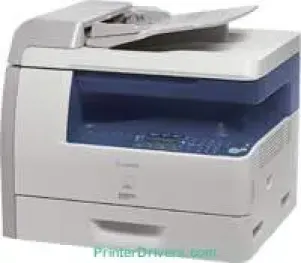
Con il modello Canon i-SENSYS MF6580PL, la stampante può funzionare solo in monocromia per stampare documenti in bianco e nero. È inoltre una stampante multifunzione che può stampare, copiare, acquisire e inviare fax. La velocità di stampa è fino a 22 pagine al minuto (ppm) su carta A4. La tecnologia di stampa compatibile è quella laser monocromatica, che consente di ottenere risultati ottimali.
Download dei driver Canon i-SENSYS MF6580PL per Microsoft Windows 32-bit – 64-bit e Macintosh Operating System.
Cartucce toner supportate: cartuccia toner nera 706 – circa 5000 pagine
Driver Canon i-SENSYS MF6580PL per Windows
16e3b1cf3534fcf7d60feb3db5dc12cb5ee7137b02305e09470aea4f820ebb601935881af93cac452434ae6eee37afbffe3ec482de5920cd5d5ad424a5a833b69e0a235803be9f47a5d243d9335d0f9156f4db43c0d73229137365945e3a335e4d55a4a3e3f5a130bc7a9ccfc5f72f91edf71646e99efe25e959fc74157e973fa4353cbe30dcb9bbe268a738a20a90395fa7e7d76ebd1303b3404dbd8c82c435Driver Canon i-SENSYS MF6580PL per macOS
c3e86cfd6f247d81eb37a4c36412fc22f6df2225ec39bf8c25639c777857c49081682e33345b34a81c06f13d6dd4d7d9a98164afe7d89843d94d1dac52bdbe383cac8d47a0bb1580e74b492bc876858781092e8fae8a009946dc72a2194c0ca9c98999b876d4bc8928e9adbfd33748039773dbb01850e711679363ae3e93785b3accb0f153300092a2ee312825c851035f1c66d65dafd67c77e2d4fbcd27c13a37c7892368c2313a0619c97b4f71f32be34757bfcc84538a957d6f23e43e81f0ab8f0f303177d8c2129a2a2db2b478c6b63e40154d669f8d01041b4f7afcfbb10297641744ea447acd804af112d0693e6588ba52e03feaf0d3150446eb3e84f501a221888cc3651a64f633e461870d1e2d0cce0ef54abb9c8317ca085ad21964319819327b889a34a931905184cbeb1e9c986e5d635fa77c88f5de1e424c308822777e10690dcebdae80b6ec50e7bed2b28b71ca4cf9315646912ab2ad21c0669dd3f1b1c7dc175ab7cd4bb929f902c55966150a6a0273dbb36ccad0f146006a602bdd48468bf971d46227aeb5a5e80268b4d63683acc1033092bf82e239f0644c12283382997a0a253b5b7bedae90cf797892d245c51f896cbbc7eaf39f0d5b400f046433591f4a0ff3c99e03208e8383398907c9703634230bd5670b241b66317cf79acc2b5c650f2d0487297a075500cf16bac82b4995036f450d7eb267a8Driver Canon i-SENSYS MF6580PL per Linux
51cab752fad9bcd5379320c7d0d092b90e67c30b336c1776bfe4ea74b03c2634Specifiche tecniche di Canon i-SENSYS MF6580PL
Supporta una risoluzione di stampa media di 600 x 600 punti per pollice (dpi). Può inoltre raggiungere una risoluzione massima di 1200 x 600 dpi grazie al componente di miglioramento automatico dell’immagine (AIR). Essendo una stampante fronte/retro, può stampare su entrambi i lati di un foglio di carta tramite un canale intuitivo. Supporta inoltre i linguaggi di stampa UFR II-LT, PCL 6 e PCL 5e. La modalità di risparmio toner consente inoltre di ridurre il consumo di toner mantenendo una qualità ottimale.
In modalità copia, questa macchina può raggiungere una velocità di 22 copie al minuto (CPM) su formato A4. La prima copia viene prodotta in circa 8 secondi o meno, con una risoluzione fino a 600 x 600 dpi. Questa modalità è disponibile per testo, foto e una combinazione dei due. È inoltre disponibile la modalità di copia multipla, che consente di ottenere fino a 99 copie da un singolo documento originale. In base alle necessità, gli utenti possono ridurre o ingrandire i documenti rispettivamente del 50% o del 200%, con incrementi dell'1%.
Questa macchina può anche acquisire documenti con una risoluzione ottica di 600 x 600 dpi e una risoluzione migliorata fino a 9600 x 9600 dpi. La profondità di scansione a colori è di 24 bit sia in ingresso sia in uscita. Questa funzione è inoltre compatibile con le modalità TWAIN e WIA e supporta una larghezza di scansione massima di 216 mm.
Dettagli tecnici
| Titolo | Driver per Canon i-SENSYS MF6580PL |
|---|---|
| Tipo di dispositivo | Stampante multifunzione |
| Versione del driver | Varia in base al driver e al sistema operativo |
| File disponibili da scaricare | Driver |
| Licenza | Gratuito |
| Produttore | Canon Inc. |