
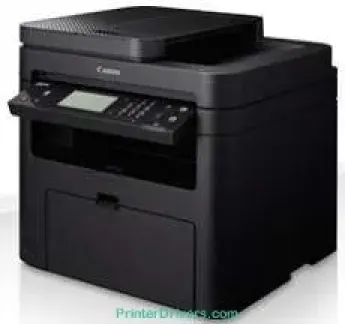
Questa macchina utilizza un consumabile essenziale, il toner Canon Cartridge 737, che può stampare fino a 2400 pagine. Quando è in funzione, produce inoltre un livello sonoro fino a 51 dB, mentre in modalità silenziosa il livello è di 47 dB. In modalità standby, il rumore del dispositivo è impercettibile. Per quanto riguarda l'alimentazione, il dispositivo supporta una tensione compresa tra 220 e 240 volt e una frequenza di 50/60 Hz.
Download dei driver Canon i-SENSYS MF229dw per Microsoft Windows 32-bit – 64-bit e Macintosh.
Cartucce toner supportate: cartuccia toner nera 737 – fino a 2400 pagine
Driver Canon i-SENSYS MF229dw per Windows
6730a7555fb894c7fcbdfebb40f96cfad54f878234182c4a8cf9c4111e0f3d836730a7555fb894c7fcbdfebb40f96cfad54f878234182c4a8cf9c4111e0f3d834d55a4a3e3f5a130bc7a9ccfc5f72f91edf71646e99efe25e959fc74157e973f04d2e8b6f97ecdbf6149ef728dccd1e27a7ad604327a8fa2972b7d5b6323ac32Driver Canon i-SENSYS MF229dw per macOS
02735f008f6d8f5882c2824e3f2b83f7ccf7de77a1e3cca3f3007e0d40da0aefd5f10278e0dd91a898757299adb4a566e5f14e6ad073c885da268768b7b8172e0485a03ef39ecfdf93f0d306d06db70162ec51ee6101b8b216a6bf379343eb35503619d05f501b7a04c15b3f849f415878d501725df252139d81841280c628e8ff5d80d992a0f8b003104ffdc1bdf36bfe8bce0aa49cce77b27cdc9a95a5776ca2f4cd0e35483928ff487a3267ea5c930711de5d487220a3d3402f65c263e8e66708a180dad9484c82047dc4624ec4b3dd3438231e6ac5cbcdba793755e1ddb45efcaeccd8b1f1103d2bb966199a47fc50f0116996d987bd51178d61474c2151c98999b876d4bc8928e9adbfd33748039773dbb01850e711679363ae3e93785b8a9fe8a3ad9ee02fb65e10e05eda1e6d8e6ba268fa987a6e164d5ba661bb1240917e7c7089148ed46d637656f66159b2042287e9084b2b921ae5b5f5c0eb0e4837c7892368c2313a0619c97b4f71f32be34757bfcc84538a957d6f23e43e81f0da6c9cbd85a75754061053b0cd0086f0297ea2f9d52a2bb0056fff1438bcff1209431107d2b98a5c1a3d4ae6141590e902abf12a5f16be1d69712e8cfe9845590297641744ea447acd804af112d0693e6588ba52e03feaf0d3150446eb3e84f535dc19aa61aba625226444a79ce3488bb61f99b0c653d1abf054c9b471d5a1b3e65a67c44f07e8c6ecf20e167ae2d83d355023809358287d3a2badbce6507585319819327b889a34a931905184cbeb1e9c986e5d635fa77c88f5de1e424c30886321f7ffd7900bcf8e4b8ce99f0d3d7af91556b836e302306ae8a25a2e16df9de6a48ab862ab2fa01c7793bae9776d4de130b89fe50e189ff8c78d1e5fa6183d9dd3f1b1c7dc175ab7cd4bb929f902c55966150a6a0273dbb36ccad0f146006a360e961225a3a218f8f019abb06cafb6699a0ae2279c20467a32e972a2b98b6d317cf79acc2b5c650f2d0487297a075500cf16bac82b4995036f450d7eb267a8Driver Canon i-SENSYS MF229dw per Linux
b7031f9f0aa035cbc5175cb86e3bd83d06f90673a63ea40105ffb5cc6c60237fSpecifiche tecniche di Canon i-SENSYS MF229dw
In ogni caso, il consumo energetico massimo della macchina è relativamente contenuto: meno di 1300 watt. Durante la stampa attiva, il consumo approssimativo è inferiore a 570 watt, mentre in modalità sospensione è di 1,7 watt. Il consumo in modalità standby è inoltre inferiore a 5,8 watt, secondo la classificazione standard del consumo elettrico. Il consumo energetico tipico (TEC) è di circa 0,9 kWh alla settimana.
Il ciclo di lavoro massimo della macchina è di 10.000 pagine al mese. Dispone inoltre di una memoria condivisa interna con un massimo di 256 MB di RAM. Il pannello di controllo è dotato di un display LCD touchscreen in bianco e nero a 6 righe. Le dimensioni della macchina sono 390 mm di larghezza e fino a 360 mm di altezza. La profondità è di 448 mm e il peso è di 13,1 kg.
In un normale ambiente operativo, questa macchina supporta temperature comprese tra 10 e 30°C. L'umidità relativa dell'ambiente deve essere compresa tra 20 e 80%, senza condensa. Il vassoio di alimentazione principale può contenere fino a 250 fogli di carta comune. L'alimentatore manuale, invece, accetta un foglio alla volta. È inoltre presente un vassoio DADF che può contenere 50 fogli di carta comune. Il vassoio di uscita può contenere 100 fogli stampati.
Dettagli tecnici
| Titolo | Driver per Canon i-SENSYS MF229dw |
|---|---|
| Tipo di dispositivo | Stampante multifunzione |
| Versione del driver | Varia in base al driver e al sistema operativo |
| File disponibili da scaricare | Driver |
| Licenza | Gratuito |
| Produttore | Canon Inc. |